Services Australia (Centrelink)
Fill out Form SU001 online
Employment Separation Certificate
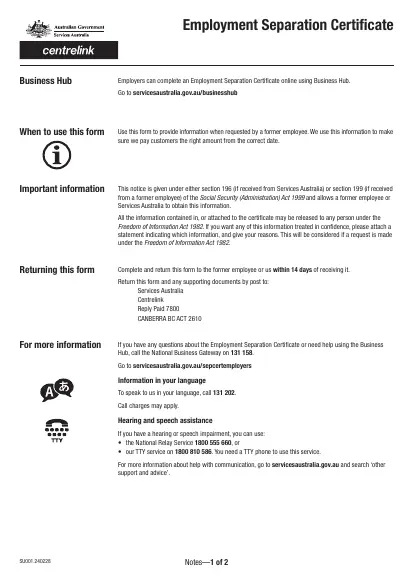
The Employment Separation Certificate (SU001) is completed by an employer, at the request of a former employee or of Services Australia, to certify when the person worked, why the job ended and what they were paid on leaving. Centrelink uses it to pay people the right amount from the correct date, for example when someone claims an income support payment after losing a job. Employers can also be asked for one when an employee's hours drop or they move from full time to casual work. The employer gives the completed certificate to the former employee or sends it to Services Australia within 14 days.
The form opens in our PDF editor with its own fields ready to type into. To download it, the filled PDF is sent to GuruPDF to prepare the file and is deleted from our servers one hour later. You can fill it in without an account; downloading the filled PDF needs a free account. A free account gets 15 credits a day, enough for one form a day.
- Country
- Australia
- Edition
- SU001.240228
- Pages
- 4
- Fillable fields
- 109
- Last checked at the source
- November 13, 2026
GuruPDF is an independent PDF editor, not a government agency, and is not affiliated with any government. This page explains the form in plain words; it is not legal or tax advice. Always check the official instructions before you file.
Who uses Form SU001
- Employers and payroll officers asked by a former employee for a separation certificate
- Employers asked directly by Services Australia to complete one
- Former employees claiming a Centrelink payment who need their employer to certify their job ended
- Employers whose employee reduced their hours or changed from full time to casual work
Before you start
- The employee's full name, date of birth and address
- Your business or trading name, address, Australian Business Number (ABN), and the name, position and phone number of a contact person
- The date the employee started and the date the employment ended
- The reason for separation, with details where needed
- The final gross payment, including leave and redundancy payments
- For each unused leave or redundancy payment: the date paid, period covered in working days, gross amount, days worked per week and average gross weekly wage
How to fill out Form SU001
Question 1: Employee details
Enter the former employee's family name, first given name, date of birth (DD MM YYYY) and address with postcode.
Question 2: Employer details
Enter your business or trading name, address and postcode, your Australian Business Number (ABN), and the name, position and contact phone number (with area code) of the person Services Australia can contact.
Questions 3 and 4: Employment details and reason for separation
Give the date the employee started working for you and the date employment ceased. Then tick one reason: shortage of work, unsuitability for this type of work, end of season or contract, redundancy, unsatisfactory work performance, misconduct, employee ceasing work voluntarily, or other. Use the box below the list to give the reason or further details where the form asks for them. If the certificate is about a drop in hours or a change to casual work rather than the end of a job, Services Australia says to explain it here.
Question 5: Final gross payment
Enter the person's final gross payment in whole dollars, including any leave and redundancy payments.
Question 6: Unused leave and redundancy
Answer whether you paid, or will pay, any unused leave entitlements or redundancy on termination. If yes, complete the table for each type that applies (redundancy, payment in lieu of notice, gratuity or golden handshake, sick leave, rostered days off, annual leave, parental leave, long service leave, other), with the date paid or to be paid, the period covered in working days and the gross amount. For redundancy, payment in lieu of notice and gratuities, also give the number of days the employee worked per week and the average gross weekly wage. For long service leave, mark whether it was paid on a 5 or 7 day week.
Questions 7 and 8: Privacy notice and declaration
Read the privacy notice. In the declaration, enter the full name of the employer or representative, then print the form, sign it by hand and date it. Place your business stamp in the box if you have one.
After you fill it out
Give the signed certificate to the former employee, or send it to Services Australia, within 14 days of receiving the request. The form's notes give the reply-paid postal address, and Services Australia's employer pages also list a fax option. Employers can instead complete and submit the certificate online through Business Hub, using a PRODA account; it cannot be submitted through Single Touch Payroll. Services Australia suggests giving the employee a printed copy for their records and keeping a copy yourself.
Signing: The form says to print it on completion and sign it by hand. The employer, or a pay officer they have authorised, signs and dates the declaration and adds the business stamp if there is one. The online Business Hub version is accepted by ticking its declaration instead.
Watch out for
- Services Australia says employers need to complete the certificate within 14 days of the request. Sections 196 and 199 of the Social Security (Administration) Act 1999 allow Services Australia or a former employee to obtain this information.
- Information in the certificate may be released under the Freedom of Information Act 1982; attach a statement with reasons for anything you want treated in confidence.
- Giving false or misleading information is a serious offence.
- Do not use correction fluid or tape on a printed form; use black or blue pen and block letters.
- If you photocopy a blank certificate instead of printing a new one, the form asks you to place your business stamp on the photocopy.
Questions about Form SU001
Who fills in the Employment Separation Certificate?
The employer, or a pay officer the employer has authorised. The former employee asks for it, or Services Australia requests it directly.
How long does an employer have to complete it?
Services Australia says employers need to complete the certificate within 14 days of the request.
Can employers submit the certificate online?
Yes. Services Australia says the easiest way is online through Business Hub, after registering for Provider Digital Access (PRODA). Employers cannot submit it through Single Touch Payroll, although STP reporting already gives Services Australia some cessation information automatically.
Can I give the information on our letterhead instead?
Yes. Services Australia says you can provide the information on your business letterhead. You, or an authorised pay officer, should sign it and keep a copy.
I lost my job. What do I do with the certificate?
The form's notes tell former employees to contact Services Australia as soon as possible after their job ends and explain that a claim starts from the date a completed claim, with all required documents, is submitted. If you received a termination payment, there may be a waiting period before an income support payment starts.
Official information
- Employment Separation Certificate form (SU001)
- Employment Separation Certificates for employers
- Ways to submit the certificate
- When to complete a certificate
Page text last reviewed November 13, 2026.