Service Canada (Employment and Social Development Canada)
Fill out Form NAS2120 online
Application for a Social Insurance Number
Form NAS2120 is Service Canada's paper application for a Social Insurance Number (SIN), the 9-digit number you need to work in Canada or to access government programs and benefits. The same form is used to get a first SIN, a confirmation of an existing SIN, a legal name change, a change of status, a correction to your SIN record, or a new expiry date on a temporary SIN that starts with 9. You need it only when you apply by mail, together with your original identity documents; it is not required when you apply online or in person at a Service Canada Centre. Applying for a SIN is free.
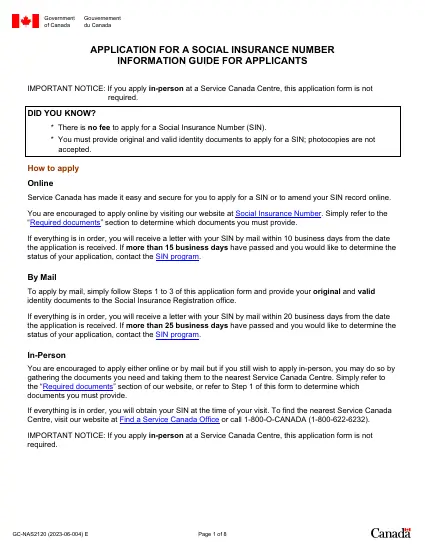
The form opens in our PDF editor with its own fields ready to type into. To download it, the filled PDF is sent to GuruPDF to prepare the file and is deleted from our servers one hour later. You can fill it in without an account; downloading the filled PDF needs a free account. A free account gets 15 credits a day, enough for one form a day.
- Country
- Canada
- Edition
- 2023-06-004
- Pages
- 8
- Fillable fields
- 64
- Last checked at the source
- November 13, 2026
GuruPDF is an independent PDF editor, not a government agency, and is not affiliated with any government. This page explains the form in plain words; it is not legal or tax advice. Always check the official instructions before you file.
Who uses Form NAS2120
- Canadian citizens and permanent residents applying for their first SIN by mail
- Temporary residents with a work permit, or a study permit or visitor record that authorizes work
- People updating their SIN record after a legal name change or a change of status in Canada
- Temporary residents extending the expiry date of a SIN that starts with 9
- Parents, legal guardians and legal representatives applying for a child or an adult in their care
- People living outside Canada with no legal status who are eligible for a Canadian pension or benefit
Before you start
- Your original, valid primary identity document, such as a provincial or territorial birth certificate, a Canadian citizenship certificate, a permanent resident card or an IRCC work or study permit (photocopies are not accepted)
- An original supporting document, such as a marriage certificate or legal change of name certificate, if the name on any document differs from the name on the application
- Your parents' given names and family names at birth
- Your place of birth, your family name at birth and any other family names you have used
- Your previous SIN, if you ever had one
- If a document is not in English or French: a translation and the translator's attestation or affidavit
- If you are applying for someone else: your own identity documents and proof of guardianship or legal representation
How to fill out Form NAS2120
I am applying for a (an)
At the top of the application page, tick the reason for your application: first Social Insurance Number (SIN), update or correction to SIN record, confirmation of SIN, legal change of name, change of status, change to the expiry date ("900 Series SIN"), or other (and specify). Leave the "Do not write in this area" box empty.
Items 1 to 3: name, date of birth and gender
Item 1 is your name as it should appear on your SIN record: first given name, other given name(s) and family name. Item 2 is your date of birth (day, month, year). Item 3 is gender (male, female or X), which the guide says is optional, and a box to tick if you are a twin, triplet or other multiple birth.
Items 4 to 8: parents, place of birth and family names
Items 4 and 5 are your parents' given names and family names at birth; the parent in item 4 must not be repeated in item 5, and parents can be listed in any order. To list more parents, attach a sheet with each one's given names and family name at birth, with the family name underlined. Item 6 is your place of birth (city, town or village, province, territory or state, and country). Item 7 is your family name at birth and item 8 any other family names you have used.
Items 9 to 12: previous SIN, status and contact details
Item 9 asks whether you ever had a SIN: write the nine-digit number, or tick No or Unknown. Item 10 is your status in Canada (Canadian citizen, registered Indian, permanent resident, temporary resident or other) and whether you currently live in Canada. Item 11 is your primary and evening telephone numbers. Item 12 is your mailing address, with an "in care of" name if the mail goes to someone else.
Item 13: signature
Read the privacy notice, then sign and date (YYYY-MM-DD) in blue or black ink. A child under 12 is signed for by a parent or legal guardian; from 12 to the age of majority, the child, a parent or a legal guardian may sign. A parent, legal guardian or legal representative ticks their relationship to the applicant and prints their name and telephone number. If "X" is used as a signature, two witnesses sign and give their relationship to you.
Office use section and mail-in checklist
Leave the "For office use only" section (lines A to H) blank. The last page is a checklist for mail applicants: tick it off to make sure the original primary identity document, any supporting document, the signed and dated application and, for representatives, their own documents are all in the envelope.
After you fill it out
Print the form, sign and date it in ink, and mail it with your original identity documents to the Social Insurance Registration Office address printed on the form. Service Canada recommends a postal service with tracking, because it is not responsible for documents lost in the mail; it returns your documents by mail once the application is complete. If everything is in order, you receive a letter with your SIN by mail. An incomplete or unsigned application, or one without original documents, is not accepted. The SIN program's pages list current processing times and the online and in-person ways to apply.
Signing: The applicant signs and dates item 13 in blue or black ink, unless a parent, legal guardian or legal representative signs for them (always for a child under 12). A representative also ticks the relationship box and prints their name and telephone number. An application that is not signed and dated is not accepted.
Watch out for
- You must send original, valid identity documents by mail; photocopies are not accepted.
- An application that is incomplete, unsigned or missing original identity documents will not be accepted.
- Quebec proof-of-birth documents issued before 1994 are not accepted, and a Confirmation of Permanent Residence is accepted only within one year of becoming a permanent resident.
- Translations by family members are not acceptable; a translation needs an attestation from a certified translator or a sworn affidavit.
- It is an offence to knowingly apply for more than one SIN or to sell, give or lend your number to anyone with intent to deceive.
Questions about Form NAS2120
Do I need this form to get a SIN?
Only if you apply by mail. Service Canada says the form is not required when you apply online or in person at a Service Canada Centre. A completed and signed form is still needed if you authorize another person to apply in person on your behalf.
Does it cost anything to apply for a SIN?
No. The form states that there is no fee to apply for a Social Insurance Number.
Can I send copies of my documents?
Not by mail. Service Canada requires original and valid documents with a mailed application and returns them by mail. When you apply online, it asks for digital copies of the original documents instead.
Why does my SIN start with 9?
SINs issued to temporary residents start with 9 and expire on the same date as the work permit, study permit or visitor record. When you get a new permit, you apply again with the new document to update the expiry date on your SIN record.
I lost my SIN card. Do I use this form?
Service Canada no longer issues plastic SIN cards. If you know your number, you can view and print it in My Service Canada Account. To get a confirmation of your SIN, you can apply and tick "Confirmation of SIN" on this form.
Official information
- Social Insurance Number (Service Canada)
- Apply for a SIN and required documents
- SIN for temporary residents
- Form NAS2120 in the Service Canada forms catalogue
Page text last reviewed November 13, 2026.